How Much Will That DIY Project Really Cost? A Simple Way to Estimate Before You Start
The short answer
To estimate a DIY project's cost, price the full materials list at your local store or online, add the cost of any tools you don't own, then add a 20% buffer for waste and mistakes. Most budget surprises come from tools and forgotten consumables like sandpaper, screws, and drop cloths, not from the headline materials.
Key takeaways
- Cost surprises rarely come from the main materials. They come from tools you don't own and consumables you forgot.
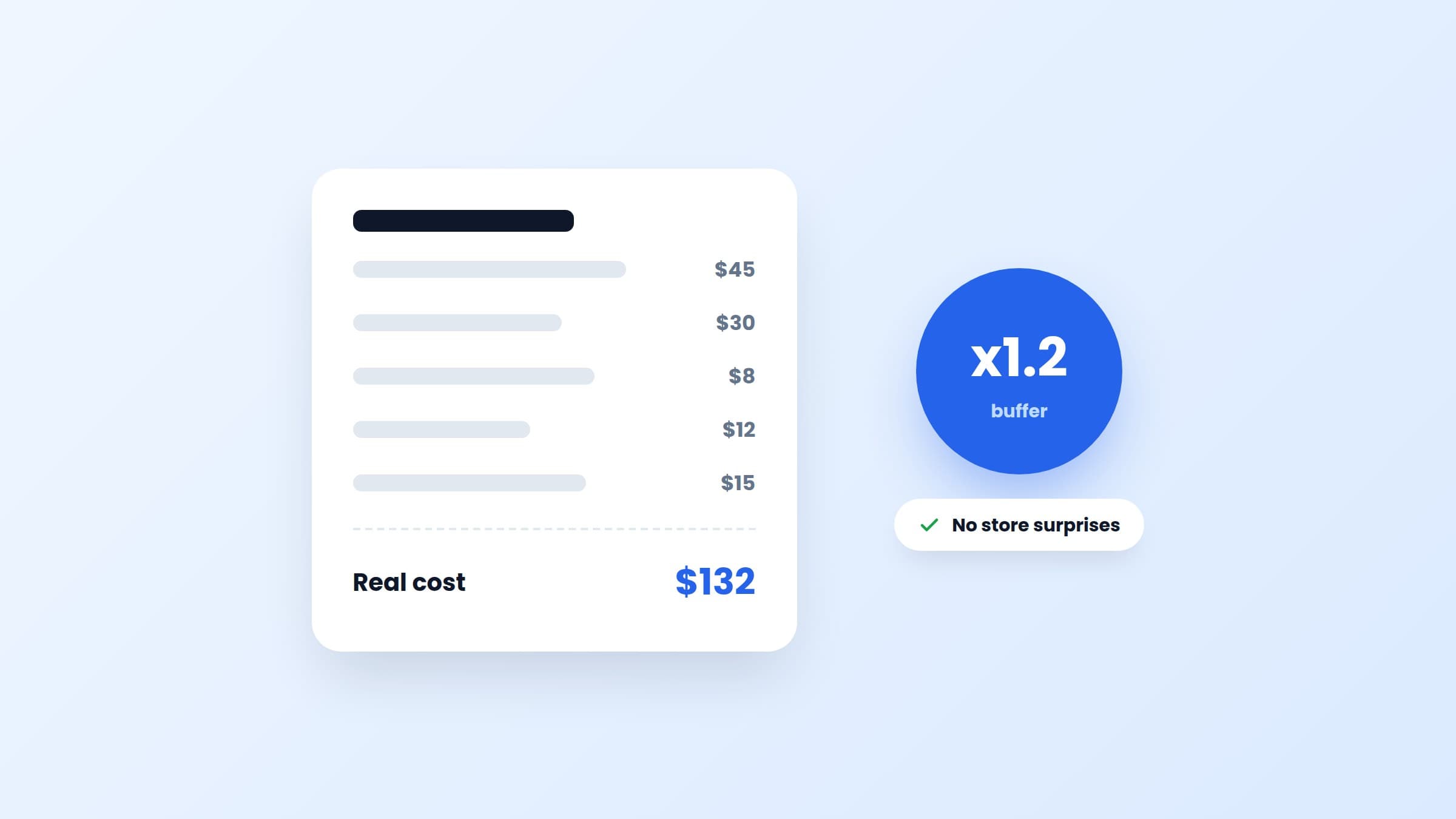
- The formula: materials + missing tools + consumables, times 1.2. The 20% buffer covers waste and re-dos.
- Always price the whole materials list before buying anything. Item three of seven is a bad place to discover the real total.
- An estimated cost turns 'someday' into a decision: do it, shrink it, or skip it. All three beat limbo.
Why DIY videos mislead you about cost
The accent wall video says "under $100!". Technically true, if you already own a mitre saw, a nail gun, a level, and a garage full of leftover paint. The creator isn't lying. They're just pricing the marginal cost of their fifteenth project, while you'd be paying the full cost of your first.
Three gaps explain most of the difference:
- The tool gap. Creators own tools. If you need to buy or rent even two of them, the project cost can double.
- The consumables gap. Sandpaper, painter's tape, wood glue, screws, brushes, drop cloths. Individually cheap, collectively $40 or more, and never in the video's total.
- The waste gap. Boards come in fixed lengths, paint comes in fixed cans, and your first cut isn't always your best. You'll buy more than the project strictly needs.
How do you estimate a DIY project's cost? The simple formula
Here's the whole method:
Project cost = (materials + missing tools + consumables) x 1.2
- Price the materials list. You need an actual list first, with quantities. If you're starting from a video, our guide to turning a DIY video into a project plan shows how to extract one. Then price every line at your usual store or its website. Estimates beat guesses, so 10 minutes on a hardware store site is time well spent.
- Add tools you don't own. Go through the tool list honestly. For a tool you'll use again, buying is fine and the cost amortizes. For a one-off like a tile cutter, check rental prices or borrow, and count whatever you choose.
- Add consumables. The stuff that's never in the headline: fasteners, tape, glue, sandpaper, brushes, protection. When in doubt, add $25 for a small project and $50 for a big one.
- Multiply by 1.2. The 20% buffer covers offcuts, the extra can of paint, and the piece you'll cut wrong. If the buffer goes unused, great, it funds the next project.
A worked example: floating shelves
Say you saved a floating shelves video and want three shelves on a plaster wall. The estimate might look like this:
- Three pine boards, cut to size: $45
- Six hidden brackets: $30
- Wall plugs and screws: $8
- Wood oil: $12
- Missing tools: none if you own a drill and a level, otherwise add accordingly
- Consumables: sandpaper, masking tape, a brush: $15
Subtotal $110, times 1.2 is $132. Now compare that with the video's "$60 shelves!" claim. Neither number is wrong. One is the creator's marginal cost, and one is your real cost. You want to know yours before the store does.
Notice what just happened, though: with a number in hand, the project became a decision. $132 for three custom shelves might be an easy yes. If it's not, shrink it to two shelves, or skip it without guilt. All three outcomes beat "saved and someday".
Keep the estimate attached to the project
An estimate on a receipt in your pocket is gone by Tuesday. The estimate belongs on the project itself, next to the materials and steps, so that when you're choosing what to build next you can compare costs at a glance.
That's how Fatto handles it: every project card carries an estimated cost from the start. When Fatto's AI imports a video from TikTok, Instagram, Facebook, or YouTube, it estimates the cost along with the materials, tools, and steps, and you can adjust it once you've priced things locally. Your library becomes browsable by budget: a $40 weekend, a $150 upgrade, a $500 someday.
It also pairs naturally with collections: when the bedroom collection shows four projects totaling $360, you're not dreaming anymore, you're budgeting.
Estimate, then start small
Cost clarity has one job: getting you to start. So use it on a project sized to succeed. A $50 first project you finish teaches you more than a $500 project you abandon at the priming stage.
We put together 10 beginner DIY projects you can finish in one weekend, most under $100, if you want somewhere to point this method first.
And if you'd rather the estimating happened automatically, Fatto is launching soon on iOS. Join the waitlist and every video you save becomes a project card with the cost already estimated.
Frequently asked questions
How do I estimate the cost of a DIY project?
Write out the full materials list with quantities and price it at your local store or online. Add the cost of tools you don't own (buy, rent, or borrow), add consumables like fasteners, tape, and sandpaper, then multiply the total by 1.2. The 20% buffer covers waste and mistakes.
Why do DIY projects cost more than the video says?
Creators quote the marginal cost of their project: materials only, assuming a fully equipped workshop. Your real cost includes tools you're missing, consumables the video never counts, and waste from fixed board lengths and paint can sizes. Doubling a video's claimed budget is often a realistic starting point.
Is it cheaper to DIY or to buy furniture?
For simple pieces like shelves, benches, and planters, DIY is usually cheaper than mid-range retail even after tools, and the result is custom-sized. For complex pieces requiring many specialty tools, buying often wins on pure cost. Estimate first: materials plus missing tools plus 20%, then compare against the store price.
Does Fatto estimate project costs?
Yes. When Fatto imports a DIY video, its AI estimates the project's cost alongside the materials, tools, steps, and difficulty. The estimate is editable, so you can refine it with local prices, and every project card shows its cost so you can compare projects and plan by budget.
Turn saved videos into done projects
Fatto makes every saved DIY video a project card with materials, tools, steps, and costs. Coming soon to iOS.
Join the waitlist