How to Turn a DIY Video Into a Step-by-Step Project Plan
The short answer
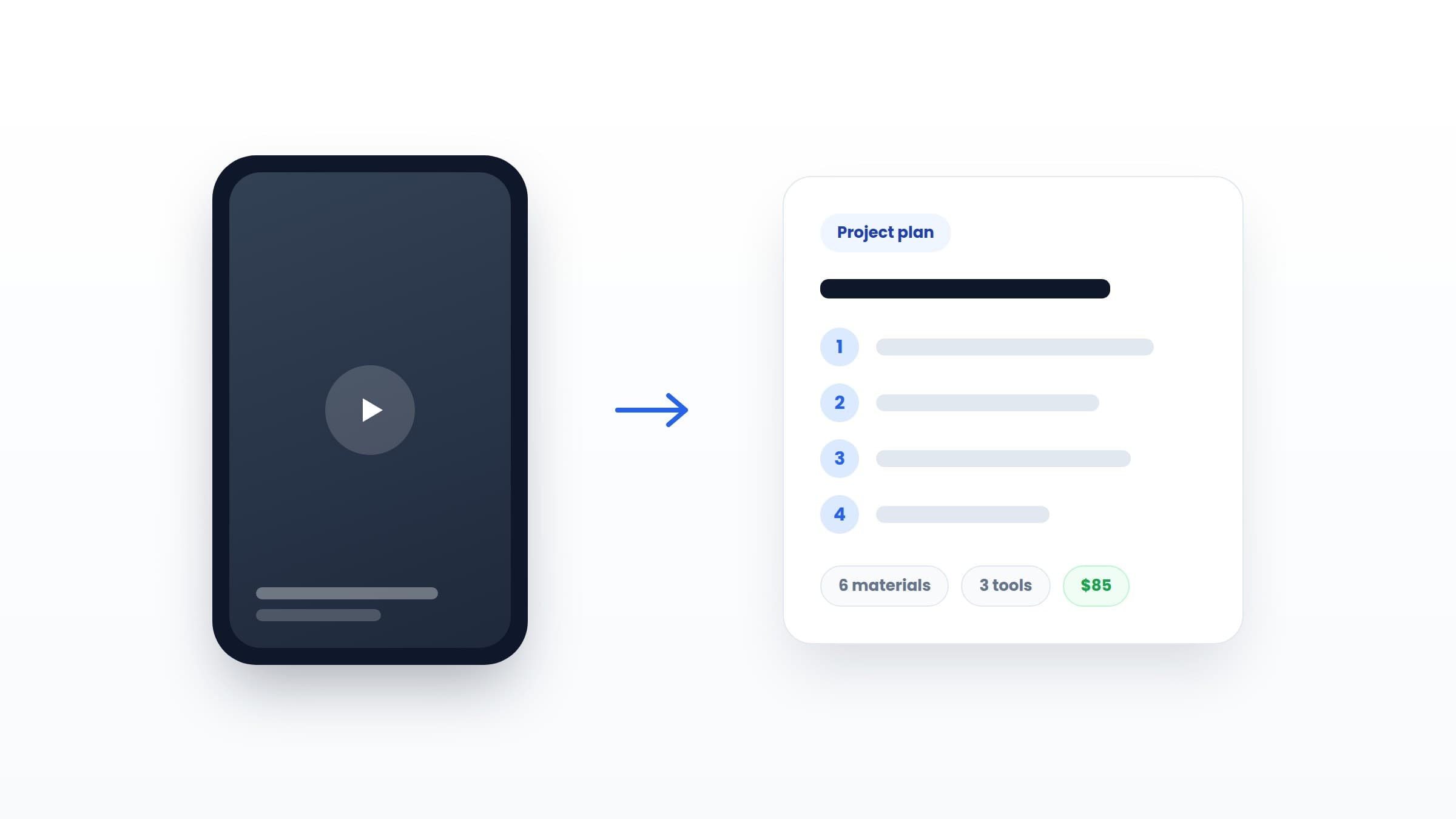
To turn a DIY video into a project plan, extract four things from it: a materials list with quantities, a tool list, numbered steps in order, and an estimate of time and cost. Watch the video twice, once for materials and tools and once for steps, or let an app like Fatto extract all of it automatically from the video's link.
Key takeaways
- A video becomes a project when it becomes four lists: materials, tools, steps, and estimates.
- The two-pass method works: first pass for everything you need, second pass for what happens in what order.
- Videos compress and skip. Drying time, prep work, and cleanup are almost always cut, so add them back.
- Fatto's AI builds the whole project card from a link in seconds, and every field stays editable.
What does a real DIY project plan look like?
Before extracting anything, know what you're extracting toward. A usable project plan is short. It fits on one screen, and it has exactly five parts:
- Materials, with quantities. Not "wood and screws". Two pine boards, 180 x 20 cm. A box of 4 x 40 mm screws. Wall plugs, 8 of them.
- Tools. Everything you'll need in hand: drill, level, sander. This list decides whether the project costs $40 or $40 plus a $120 tool run.
- Numbered steps. Each step is one action with a clear done-state. "Sand, then prime, then paint" is three steps, not one.
- Time and cost estimates. Rough is fine. Wrong by 20% is fine. Missing is not, because unknown cost is what keeps projects stuck in the saved pile.
- Difficulty. One honest label: beginner, intermediate, or advanced. It sets expectations before you're halfway up a ladder.
In Fatto we call this a project card, and every saved video becomes one. But you can build the same thing in any notes app if you know what to look for.
The two-pass method for extracting a plan by hand
Trying to catch materials, tools, and steps in a single viewing is how you end up with a half-list and a headache. Watch twice, each time looking for one thing only.
Pass 1: shopping eyes
Ignore the process. Only note things. Every object that appears gets written down: boards, brackets, paint, sandpaper grit if they mention it, and every tool that touches the project. Pause freely. Check the caption and description too, because good creators often list materials there and save you the trouble.
Pass 2: process eyes
Now ignore the things and watch the order. Write one line per action: measure and mark, cut to length, sand edges, drill pilot holes, mount brackets, check level. Number them as you go. Where the video jump-cuts, ask what happened between the cuts, because that gap is usually a step.
Twenty minutes of this turns a 60-second video into a plan you could hand to a friend. That's the test of a good plan, by the way: someone who never saw the video could build the thing.
What DIY videos always leave out
DIY videos are edited to be satisfying, and satisfying means compressed. When you extract a plan, add back what the edit removed:
- Waiting time. Glue cures, paint dries, filler sets. A "one afternoon" video is often a two-day project with waiting in the middle. Put the waits in the plan as their own steps.
- Prep and protection. Moving furniture, taping edges, laying drop cloths. Rarely filmed, always necessary.
- Mistakes and second attempts. The creator's first crooked cut didn't make the edit. Budget one spare board's worth of humility into your materials.
- Cleanup. Sanding dust travels. The last step of every plan is the boring one nobody films.
This is also why judging a project's true difficulty from the video alone is risky. The edit hides exactly the parts that would warn you.
The automatic way: from link to project card in seconds
The two-pass method works, but it's 20 minutes per video, and if you save five projects a week, that math never works out. This is the exact problem Fatto was built to solve.
Here's the whole workflow:
- Find a DIY video on TikTok, Instagram, Facebook, or YouTube.
- Tap share, and send the link to Fatto.
- Fatto's AI reads the video's publicly available caption, description, and transcript, and builds the project card: materials with quantities, tools, numbered steps, difficulty, estimated time, and estimated cost.
Every field stays editable, because you know your home and your skills better than any extraction ever will. Swap a material, add a step, bump the difficulty. The card is yours.
And because every imported project lands in the same library, this doubles as the organization system from our guide to organizing saved DIY videos. One share, and the video is both filed and actionable.
From plan to done
A plan removes the unknowns that keep projects stuck. What to buy: solved. What to do: solved. What it costs: estimated, and if you want to sharpen that estimate, here's how to estimate a DIY project's real cost before you start.
The last unknown is which project to pick first. Pick small. A finished shelf beats an unstarted wardrobe, and we collected 10 beginner projects you can finish in one weekend if you want a shortlist.
Fatto launches soon on iOS, with 5 free AI imports to start. Join the waitlist and turn your saved videos into project cards the day it ships.
Frequently asked questions
How do I get a materials list from a DIY video?
Watch the video once looking only for objects: every material and tool that appears or gets mentioned, plus anything listed in the caption or description. Write quantities where you can. Alternatively, share the video's link to an app like Fatto, which extracts the materials list automatically from the caption and transcript.
How does Fatto turn a video into a project?
You share a TikTok, Instagram, Facebook, or YouTube link to Fatto, and its AI reads the video's publicly available text, caption, and transcript. It then builds a project card with materials and quantities, tools, numbered steps, difficulty, estimated time, and estimated cost. Every field can be edited afterwards.
What should a DIY project plan include?
Five things: a materials list with quantities, a tool list, numbered step-by-step instructions, rough time and cost estimates, and an honest difficulty rating. If someone who never saw the original video could build the project from your plan, the plan is complete.
Why do DIY projects take longer than the video suggests?
Because videos compress or cut the slow parts: drying and curing time, prep work like taping and covering, fixing mistakes, and cleanup. When planning from a video, add those back in. A tutorial that runs 60 seconds often represents a full weekend of real work.
Turn saved videos into done projects
Fatto makes every saved DIY video a project card with materials, tools, steps, and costs. Coming soon to iOS.
Join the waitlist